Wednesday, March 9, 2016

PHANTOM 4 | DJI’s Most Advanced Drone Ever

The sexiest drone that DJI ever designed, welcome to the era of VISION.

How do you make one of the very best drones out there even better? Take out the single factor that is guaranteed to screw things up - human error.

When DJI revealed the Phantom 4 drone in New York this month, we were expecting a refined design and style, much better battery life, and possibly even a camera upgrade or two.

We got all three, but it was the surprise extras that really turned heads.


Now that we've had time to see the new crash avoidance and automatic tracking systems in action, it is about time to bring you some early first impressions on what could turn out to be the greatest quadcopter out there.

“The Phantom 4, it’s the first consumer unit that can see the world around it and adjust accordingly, the next big step towards a truly autonomous aircraft.” — The Verge, March 1, 2016 

“Smarter, leaner, faster, stronger? That's the promise with DJI's Phantom 4 ” — Engadget, March 1, 2016

“This quadcopter can do something other drones can’t: keep you and me from being idiot pilots.” — The Wall Street Journal, March 1, 2016

The Phantom 4 is an evolution of the Phantom 3, and from the appearance, it might be tough for a drone novice to tell them apart.


The matt white plastic has been swapped out for a glossy finish, with the physique and landing gear slimmed down to cut a much better line through the air, but otherwise, the basic design and style hasn't changed.

The camera gimbal is supported on each side now, rather than just one, and a lot of the mechanism has been moved inside the drone body, which once more helps with the aerodynamics.


Exposing the motors gives it a lot more aggressive appearance, but also tends to make room for the activity LEDs to sit underneath them. This will let skilled pilots get that small bit closer to walls and obstacles when flying in low light.

Even the landing gear has been redesigned, with longer, thicker legs that ought to imply safer landings even if it is really windy.

icon
icon

Combine that with DJI's Care plan, and you shouldn't have to worry about accidents keeping you grounded.

All minor tweaks by themselves, for sure, but as a whole, they give the Phantom 4 a significantly fresher appeal - even if it meant ditching the coloured go-faster stripes of the old models.


The 4K camera on the Phantom 3 could produce some incredible looking video, so it's not an enormous surprise that DJI hasn't messed with the formula.

The sensor stays the same for the Phantom 4, with just with a few little tweaks.

The lens has been upgraded for sharper images, especially at the edges of your shots, and for much less distortion.


DJI's demo footage looked fantastic, but we'll need to see video side-by-side with the Phantom 3 to see if the differences are straightforward to spot.

You'll be capable of shooting 1080p at 120fps for the first time, which ought to make for some cool slo-mo shots, but the 4K recording is still stuck at 30fps.

An enhancement to 60fps would have been an ace, but seeing as the DJI Inspire does not even do that, it's not a surprise to see it missing here.

It's how you will use the camera that's changed, with ActiveTrack taking the challenge out of flying and focusing on an object at the same time.


Rather than flying the drone and controlling the camera angle simultaneously (usually two-individual jobs for professional drone photographers), the Phantom 4 lets you tap on the remote screen to choose a target.

The drone then creates a 3D model of that object and automatically keeps it in the frame as you fly around. You can make fine adjustments to focus, framing and camera settings on the fly, or let the Phantom do all the adjustments.

icon
icon

It really is brilliantly simple and allows for perfect tracking even in crowded areas.

Even better, the Phantom can do all this while maintaining an eye out for obstacles - keeping you from crashing your ultra-expensive drone since you had been also busy following the action on the ground.


Two cameras on the front and two on the bottom of the drone develop a 3D model of the planet around it, with the electronic brain inside looking for trees, walls, and any other barriers that would otherwise bring it down.

Try to drive the Phantom 4 into a wall and it'll automatically slam on the brakes. Aim it at an obstacle, and it'll go above or about it before returning to its original trajectory. If the 3D model cannot locate a way around, it'll just hover in location until you take control once more.


This safety net will be perfect for novice pilots, but it gets even simpler. TapFly is the second new flight mode, which ditches the twin stick controller in favour of touchscreen controls.

Tap a button to take off, set the maximum distance you want it to fly away from you, and the Phantom 4 will move towards the horizon. You can tap anywhere on the live video feed and the drone will alter the path.

It dodges obstacles in this mode as well, so newbies can get closer to their subjects even if they haven't got the talent to keep it steady by hand.


Twin ultrasonic sensors combine with the cameras to help keep the drone perfectly level when hovering. Other Phantoms we've used continually adjust their position, inches at a time, but the Phantom 4 was eerily steady - if the propellers weren't spinning, you'd feel it was frozen in mid-air.

It's impressive stuff, and we cannot wait to see what kinds of footage will begin springing up on YouTube as soon as knowledgeable pilots get their hands on one.

The Phantom 3 was hardly a slouch, but the Phantom 4 is a bit of a speed demon.


Usually, it can zip along at 35mph, but switch to Sport mode and you'll get a Quick and Furious-style nitrous boost that pushes the top speed up to 45mph.

It becomes a complete beast when you are flying at full whack, with impeccable speed and agility. DJI's pilots compared it to flying the pro-level Inspire, only for considerably less cash.

You are going to burn through batteries a lot faster in Sport mode, so newbie pilots must stick to Regular mode to remain up in the air longer.

DJI has boosted flight time to 28 minutes, up from 23 in the Phantom 3, but has utilized a bigger battery to do it. That indicates any spare batteries you've got for an existing Phantom are rendered useless.


The tweaked looks, faster top speed and enhanced camera lens are all welcome modifications, but it's the clever object tracking and automatic flight modes that will make it ideal for novice pilots and experienced aerial photographers alike.

At $1399.00 it is much more expensive than the Phantom 3 Professional, but if you've waited this long to get onboard the drone bandwagon, the higher price definitely looks worth it.


icon
icon

Sunday, March 6, 2016

Cobalt's CO50 Valkyrie | Advanced Aviation Technology for the Private Sector


Cobalt Valkyrie CO50

Looking much more like a higher-tech fighter than a light plane designed for private use, the Valkyrie from Cobalt Aircraft has just been launched. With a canard front wing, sleek aerodynamic shape and a turbocharged 350 hp (260 kW) engine, the new Valkyrie is claimed to be capable of traveling at speeds of up to 260 knots (482 km/h, 300 mph) and has the capacity for up to five adults and their luggage.


Produced in two models, the CO50 is a fully-certified version capable of being flown unrestricted and with an estimated delivery time of mid-2017 while the Valkyrie-X is a factory-constructed experimental-certified aircraft with an estimated production time of six months from the date of order.


After an extended time in the design and construction phases, the Valkyrie is the brainchild of David Loury, the founder and chief executive officer of Cobalt who has assembled a team of designers, builders, and service folks in facilities in San Francisco, California, Paris, France, and Saguenay, Canada in preparation for construction and delivery.

Cobalt Valkyrie CO50 Sleek Design

"Ten years ago, I had a vision to disrupt the aviation industry with an innovative private aircraft, that is not only technologically sound and safe, but also design-centric and luxurious," said Loury. "Today, Cobalt is no longer just a prototype. It's a world-class aircraft, complete with advanced safety, technology, and modern design features for travel-loving consumers and aviation enthusiasts."


The Valkyrie utilizes a canard design (where there is a small forewing at the front of the aircraft), which is a popular option for various light aircraft, such as the Vertex Hybrid Drone, or other pusher-type aircraft, such as the P.1HH HammerHead, because it adds stability and improves lift, especially in less traditionally-proportioned aircraft.

Cobalt Valkyrie CO50 canard

Sporting a single, rear-facing, piston engine driving a three-blade carbon-fiber pusher propeller, the Valkyrie is claimed to be able to cover more than 1,400 nautical miles (1,600 mi/2,590 km) at 220 knots (253 mph/407 km/h) in economy mode with a pilot and one passenger. This distance decreases as the number of passengers or speed increases, but even fully-loaded and traveling at maximum speed, the Valkyrie is still claimed to be able to travel more than 840 km (520 mi) before refueling.

Cobalt Valkyrie CO50 carbon fiber pusher propeller
Cobalt Valkyrie CO50 carbon fiber pusher propeller

Also claimed to have the biggest, single-piece canopy on the planet, the Valkyrie's massive, forward-tilting glasshouse cabin not only gives access to the leather-appointed interior, it also gives a 320-degree view for the pilot and passengers alike. The exterior is crafted from composites and is obtainable in a range of colors, which includes dark hues Cobalt says are not typically achievable in such components.

Cobalt Valkyrie CO50 Silver
Cobalt Valkyrie CO50 | Chrome for Maximum Bling

Decked out with a huge array of modern day electronic displays on the dashboard, there is also a dedicated space for an iPad. As for storage, Cobalt states that there is more than ample room for golf clubs, skis, and suitcases. Each model measures 30 ft (9.1 m) extended, 30 ft wide and 10 ft (three m) high.

Cobalt Valkyrie CO50 Instrumentation
Cobalt Valkyrie CO50 Interior
Cobalt Valkyrie CO50 Prototype Interior

Standard with retractable landing gear, the Valkyrie models also come with an optional bonus feature in the form of a rescue parachute. Deployable in the case of catastrophic failure or total loss of aircraft control, the parachute system is capable of lowering the entire aircraft and its passengers safely to the ground.

Cobalt Valkyrie CO50 Side View

Pre-orders have just been opened, and an experimental Valkyrie-X version can be had for US purchasers as early as the middle of 2016 for a US$15,000 deposit now and the remainder of the $595,000 total when the craft is prepared for delivery. The ultimate, fully-certified version will be accessible by the middle of 2017 and set you back around $699,000, before additional options of course.

dreamstime.com

Monday, February 29, 2016

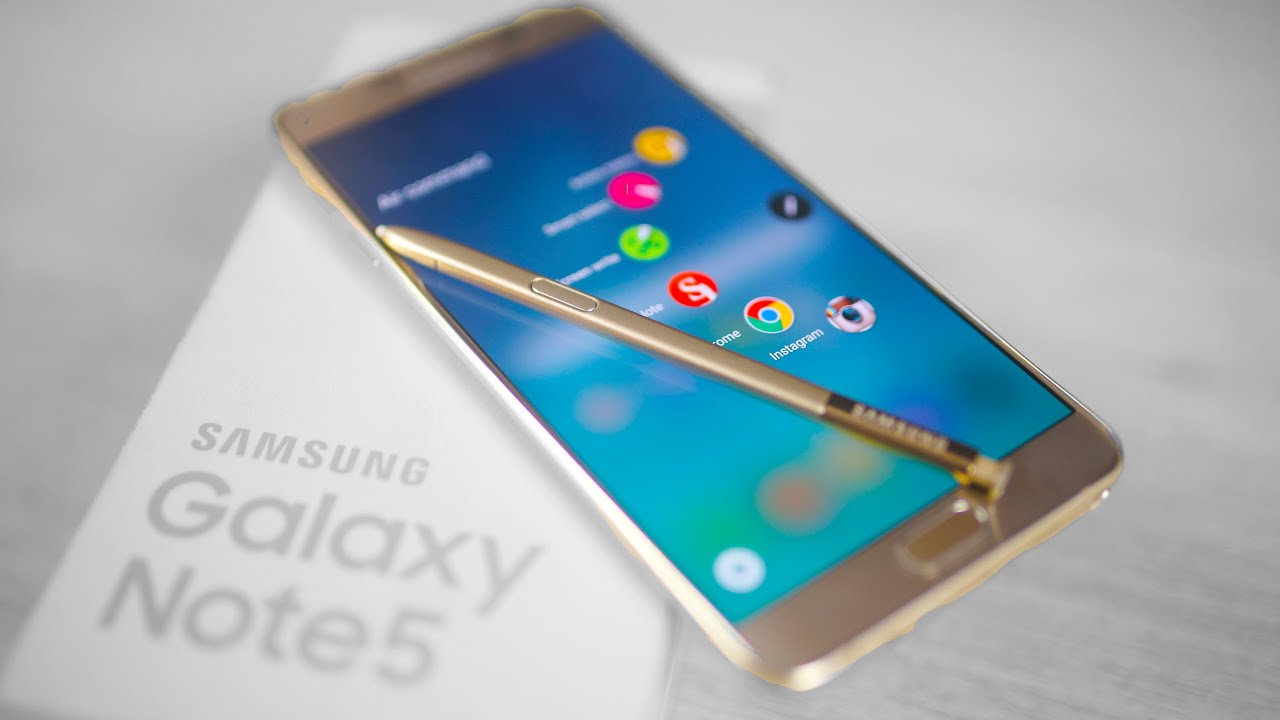
Galaxy Note 5 | Beast Phablet Review

iconicon

For a while there, companies like Palm and Microsoft insisted that the mark of a really serious smartphone was the ability to write on it with a stylus. The market seemingly changed its mind with the advent of capacitive touchscreens, and the stylus became something to scoff at, a holdover from antiquated operating systems like Windows Mobile and Palm OS. But then there is Samsung, which has been attempting for years now to preserve the notion with numerous versions of the Galaxy Note, a phablet that in no way felt or looked as nice as it could be. Thankfully, these days are over. The new Galaxy Note 5 is the finest phablet phone Samsung has produced however, and it just may make a believer out of a couple of naysayers.

Pros
  • Amazing screen
  • Top-tier performance
  • Much-improved S Pen experience
  • Awesome camera
Cons
  • Grabbing the S Pen takes an extra step
  • Some will miss the microSD slot
  • Far pricier than similar phones
Summary
Samsung's Galaxy Note series has in no way been for everyone, but the Note 5 just might change some minds. It's the smallest, most comfy version of the phablet to date, and thoughtful computer software tweaks make the S Pen feel way less gimmicky. A fantastic screen and top quality functionality are icing on the proverbial cake, but some persons will nevertheless feel burned by the lack of expandable memory, a larger 128GB option or a removable battery.


Hardware
Let's cut to the chase: This is the most attractive, most comfortable-feeling Galaxy Note that Samsung has ever been created. Thinking about what the company's churned out in the past, this probably isn't a shock to hear. The Gorilla Glass-and-metal design language carried over from the Galaxy S6 line suggests the Galaxy Note ultimately has the premium feel it often deserved (and without having any tacky faux-leather, either).

icon

The generous curve of the backplate and the trimmed-down bezels surrounding the 5.7-inch, Quad HD, Super AMOLED screen make the Note 5 substantially less difficult to hold than any of the prior-gen Notes, a really serious feat when you contemplate how beastly that screen essentially is. Of course, not everyone's a fan of glass-clad phones a banged-up metal or plastic cover does not appear as bad as a pane of shattered glass. Following a week and a half of throwing the device in and out of a bag, though, the glass on the unit still appears immaculate. As for the front? Not so much. There are currently a couple of indelible nicks on the screen and on the fingerprint sensor/home button. Fortunately, the button continues to work, even if it does appear a little worse for wear.

And of course, there's the S Pen. I will revisit this in a moment, but suffice to say, it really is leaner and lighter this year, and now has a clicky finish you'll use to unlock it from the garage located on the Note's bottom edge. There is lots of excitement to be had obnoxiously clicking it like your old ballpoints, but otherwise, it adds a superfluous step when you want to whip the Pen out, which sucks if you want to jot one thing down in a jiffy.

Under the hood, we again have one of Samsung's own octa-core Exynos 7420 chipsets, with 4 cores clocked at 2.1GHz and yet another four thrumming away at 1.5GHz. Pair that with 4GB of RAM and you have got the makings of a virtual powerhouse. If all this sounds familiar (you have been paying attention), that's because it is: These are the exact same components in the Galaxy S6 Edge+, which amounted to a fairly modest upgrade over what we got in the original S6 series. Seriously, the greatest change here is the additional RAM the Galaxy S6 had 3 gigs, not four.

icon

For some of you, though, another change may possibly make all the difference. It really is no secret that Samsung has it out for microSD, but things are made more complicated by the Note 5's lack of more spacious storage options. You can plunk down cash for a 32GB or 64GB version, but the 128GB model Samsung initially hinted at is not coming any time soon. Cloud storage is beneficial, and convenient, and I still wouldn't attempt to squeeze my entire mobile life into a device with only 32GB of space. Oh, and the Note 5's design also means you can not touch the 3,000mAh battery inside, a blow to power customers who enjoyed the capability to swap out the cells on the Note 4 and Note Edge. Look on the bright side. You'll be upgrading again in a couple years anyway.

Display and sound
If there's one factor Samsung definitely gets, it's how to make a seriously excellent-looking screen. The Note 5's QHD, Super AMOLED display isn't a big leap over the Note 4's screen (which was the very same size and ran at the same resolution), but there is enough of a enhance in saturation and general brightness to make the sequel a clear winner.

icon

Colors are vivid and vibrant in that commonly AMOLED-y way, so even though these oversaturated colors aren't normally precise, per se, they're still a treat to look at. Whites are appropriately crisp (if a touch on the warm side) blacks are deep and you can easily view the screen even from off-kilter angles. Much more importantly, the screen is an absolute champ below the sweltering summer time sun. With brightness cranked up all the way, There is no trouble thumbing through some Haruki Murakami quick stories and numerous photo sets on Flickr. Peer closely enough at the screen in direct sunlight and you may well notice it sort of... pulsate (particularly when you are looking at apps or web-sites with a white background), but it is well worth the ability to basically use the phone outdoors. Some will argue that Quad HD displays aren't needed, and indeed, your eyes never stand a chance of selecting out the 518 pixels packed into any offered linear inch. Nonetheless, it's difficult to argue with the results here. Very well done, Sammy!

icon

Too bad, then, that the screen is paired with a wimpy single speaker on the phone's bottom edge. Crank it all the way up and your tunes will play forcefully enough, but with a hollow, unsatisfying sound there is a distinct lack of oomph right here that is sadly, fairly prevalent in higher-end phones. In any case, you'd do better to save the speaker for the occasional internet video. Samsung hasn't totally neglected the audio, although: It built in assistance for 24-bit audio and a way to "upscale" your low-res MP3s and restore detail that was lost in the compression approach. I'm no acoustician and my ears have been broken from years of blasting dubstep, but the audio software program here doesn't appear to make any discernible difference. Perhaps I just have bad taste? Or maybe some of my songs just cannot be saved. Either way, save your expectations and you are going to be fine.

Apps
If you have fiddled with a Galaxy S6, you know exactly what to anticipate right here. The Note 5 comes with a TouchWiz-ified version of Android 5.1.1, and once more, I appreciate the lighter touch Samsung has been taking with its software. It really is not my preferred skin and I nevertheless think it pales in comparison to the stock Google Now Launcher, but I am pleasantly surprised by how a less obnoxious TouchWiz is these days.

All of Samsung's mainstay options are right here, and they all work as effectively as you'd anticipate them to. The Note 5's substantial screen makes a handful of of them really feel a lot more organic you can see a lot more of the two apps you have running in Multi Window mode, and the Flipboard Briefing window to the left of the house screen is a lot more spacious and satisfying when stretched out on a larger screen. In the previous version, all that additional real estate meant earlier Notes had gigantic app icons, but right here they are noticeably smaller (and slightly rounder). That will take a bit of getting used to to find them. I am glad, though, that Samsung finally figured out that individuals want space to spread out their stuff, instead of just keeping all the things scaled up to fill the bigger screen.

icon

The evaluation unit came with 32GB of built-in storage, about 24GB of which is out there to users out of the box. Aside from Samsung's usual add-ons like S Health and S Voice (which performs terrific, but nonetheless went largely unused), apps like Instagram, Facebook and OneDrive come preloaded, but can be uninstalled. Not too bad, eh? Then again, my tester telephone is also an unlocked international model that is entirely free of carrier bloat.

Using the S Pen
Right, now we're getting down to brass tacks. Most of the Note 5's computer software alterations attempt to make the S Pen more functional, and basically Samsung did a fine job of getting it to feel less like a gimmick and far more like a tool. First points first: that cool clicky pen. I've generally hated how the S Pen is stuck in the Note 5's bottom. Removing it felt so unlike a normal pad and paper. The cool clicky thingy can be distracting though. Sure, it's fun to play with, but it really just  further step that was added purely for style points.

What occurs after you pull the pen out depends on what the display's carrying out. If it is on, the screen blurs and the Air Command menu floats into view. From there, you can jot down Action Memos (think of them as speedy Post-it notes) or write/draw properly inside the S Note. You also have the selection of capturing screenshots or options with the Pen to annotate, including full-length pics of webpages or lists. You can also access this palette by clicking on the S Pen's button when its cursor is visible onscreen, but you now have the choice to just tap a floating button that can be tossed and positioned where you like.

icon

If the screen is off and the Instant Memo feature is enabled, you can whip out the pen and just commence writing. Whatever you jot down automatically gets sucked into S Note when you're done, making it much easier to just start out writing. After my week and a half of testing, I found myself using Instant Memo more than just about anything else on the phone. Taking down a startup founder's email address? Instant Memo. Getting directions from someone? Memo time. It's great!

There are also some less clear alterations that help make the S Pen really feel smoother in practice. S Note automatically saves your progress from time to time, so your most up-to-date work of art will not accidentally disappear. You can mark up PDFs in a jiffy. Samsung also says it lowered the friction amongst the pen's nib and the screen itself, and the work seems to have paid off. Swiping and doodling on the display feels a bit smoother than it did on the Galaxy Note Edge, though friction was never actually a problem in the 1st spot. Speaking of doodling, there's nevertheless no stylus/phone combo that is as fluid and precise as the Note 5. It still doesn't feel as instant as drawing on paper, but the speed at which lines follow the Pen's nib feels just about natural, and the settings (fountain pen, calligraphy pen, pencil, brush, et cetera) add a level of accessibility that make the Note handy as a sketchbook. You can add "artist" to the extended list of options. That's what is fantastic about the Note: It'll under no circumstances replace a pen and sketchpad, but it mimics the feel better than you'd expect.

Camera
The camera in the original S6 was one of the greats, and it is just as capable now that it's been transplanted into the Note 5. Samsung's 16-megapixel sensor, an f/1.9 lens covering it and some sophisticated optical image stabilization function together to make some of the prettiest photographs I've ever seen come out of a smartphone. That's no faint praise, specifically taking into consideration the Note 4 also raised the bar for Samsung when it initially came out. Every shot is inundated with detail, whilst colors are bright, but accurate. What's more, they appear beautiful on the Note 5's AMOLED screen (firing up the Auto HDR setting only helps). To no one's surprise, points went a little awry when I began snapping shots in a strangely lit bar, but the sensor still captured a surprising amount of depth regardless of the kooky red lanterns. There's the regular Pro mode right here as well in case you want to muck around with shutter speed and ISO, but most of the time you are going to do just fine leaving all the things on Auto.

icon

The lens's wide aperture also means some of your tighter shots will show off a hint of pleasing bokeh, with blurred backgrounds you can artificially pump up via the Selective Focus function. Speaking of application, Samsung fleshed out the camera app with a few new tricks if you're tired of shooting panoramas or slow-motion videos. Video Collage lets you craft a nice video collage of four six-second clips you shoot seem in a grid and play on a loop (total with background music, if that is your thing). You can now livestream your videos straight to YouTube also, even though my experience was mixed. Our personal Devindra Hardawar was in a position to get his streaming working just fine with the S6 Edge+, but I initially could not, for the life of me, make the damn thing function. The feature calls for you to sign into YouTube by way of a pop-up window (fine) and verify your account with a small two-step authorization magic (done). Each time I attempted to stream just after that, the phone would cheerfully admit I currently enabled the function... and then show me videos to watch in that teensy YouTube viewer. I mean, what? I ultimately had to reset the phone entirely to get it functioning. Following that, though, things have been peachy.


Some of these attributes -- and technically nifty as they are -- are eventually distractions, things Samsung just tossed in for laughs. Considering that the age of carrying around a separate camera is all but gone, you can travel effortless being aware of the fact you will be able to handily commence snapping handsome photos. Just a double-tap on the home button and you are on your way.

Overall performance and battery life
With close to-identical elements, it shouldn't be a surprise that the Note 5 runs just about like the S6 and S6 Edge that came just before it. Those handsets have been two of the snappiest smartphones I've tested this year. Again, the only actual distinction is the truth that the Note 5 packs an additional gigabyte of RAM, and it really is just enough to give it a distinct edge in multitasking. I used to be able to coax the S6 into sputtering by opening random apps all willy-nilly and speedily switching among them. That teensy bit of slowdown has all but evaporated in the Note 5 thanks to the extra RAM (and presumably a couple of low-level application tweaks). It's nonetheless a strong performer when it comes to games, and graphically heavy titles like Dead Trigger 2 ran smoothly for hours. Samsung's 14nm Exynos processors are delivering on their promises of greater horsepower, but we'll see how this package fares over time.

icon

I was far less hopeful about the sealed, 3,000mAh battery. After all, it's smaller sized than the Note 4's battery and there is no way to swap it out. Thankfully, runtime was never an issue. My weird workdays are nicely-chronicled in my telephone testimonials, filled with incoming Slack messages, Spotify playlists, responding to e mail, tethering and ducking off to the bathroom for a few YouTube videos in among stories. I'd unplug the Note 5 from its charger in the morning, do all of that for about 18 hours and still have about ten or 15 % charge left so my Audible books could lull me to sleep. And what about the wringer that is the standard Engadget rundown test (looping video with an active WiFi connection and screen brightness locked at 50 percent)? Effectively, it hung in there for just beneath 14 hours, up from 13 hours on the Note 4.

Conclusion
Samsung has another world-class performer in the Note 5, and as opposed to its cousin, the S6 Edge+, it has a lot more going for it than just looks. The Note still can not completely mimic the feel of pen and paper, but it really is feeling closer than you may expect. Throw in some high-powered internals and a tremendous screen and you have got a Note that refines the phablet formula in practically all the correct ways. Your mileage might differ of course I do not need a removable battery or a memory card slot (even though a 128GB version would definitely make up for the lack of expandable storage). If you can live with these shortcomings, have some extra money to burn and want to see what this stylus movement is about, there is no better place to to begin than with the Note 5.

icon

Pretty specific conclusion, eh? Well, let's throw away the S Pen for a moment. What Samsung did here was take a bloated phone and pare it down to something elegant, and a little exciting. Even if you never pull the S Pen out of its slot, the Note 5 is still the best phablet phone Samsung has ever made, and that puts it near the very top of the entire smartphone lineup.

icon

Origional article by: Chris Velazco , @chrisvelazco
08.25.15

Tuesday, February 23, 2016

Assassin's Creed Chronicles Reviews | China and Russia

Assassin's Creed Chronicles

China
Assassin's Creed Chronicles: China follows a Chinese assassin named Shao Jun who, we learn by way of flashbacks, was trained by Assassin Creed 2's Ezio. (You might have currently met Shao Jun and be familiar with this plot point if you have noticed Ubisoft's 2011 brief film, Assassin's Creed: Embers.) Shao Jun returns to China to discover that a group of evil Templar have all but wiped out the other assassins in the region. Even though in search of vengeance, she's also attempting to track down a mysterious artifact that has fallen into the hands of the Templar.


And that is about the most I can try to remember about the plot. Shao Jun appears cool but doesn't have considerable character development, and story movement is largely kept to brief cutscenes in amongst every level. It is unobtrusive, which is terrific, even though if you're somebody who cares about the overall fiction of the Asssassin's Creed universe, never anticipate any key revelations right here.

The actual gameplay of Assassin's Creed Chronicles: China extra than tends to make up for the plot in bringing a thing fresh and critical to the series. Exactly where most Assassin's Creed games have a rambling pace — dozens of hours of game stretched across an open planet littered with hundreds of distractions — this spin-off is a lot more focused. You move by way of mostly 2D levels, operating from left to right most of the time, figuring out methods to sneak past or kill any Templars who get in your way.

I say "largely 2D" mainly because Assassin's Creed Chronicles: China allows you to move between distinctive 2D planes at specific points. For example, you may be able to drop down onto a ledge in the foreground and shimmy previous a guard who is patrolling on the "key" 2D path. This leads to some elegant and interesting level design, and forced me to stay aware in my continual search for the best routes via an area.

I was also urged to take in my surroundings cautiously due to how stunning they are. Assassin's Creed Chronicles: China employs a style that looks like classic brush paintings in motion. Splashes of color streak across the screen and are used in subtle strategies to help you recognize usable objects in the atmosphere. And the regular violence of the series is toned down to practically tasteful slashes of red anytime you take an enemy down.


Of course, ideally you will not have to take down very many enemies at all. Assassin's Creed Chronicles: China gives Shao Jun a good list of tools to aid her previous foes cross her path. Firecrackers can briefly stun guards, knives can snap ropes to open passageways or drop boxes, and in a pinch, Shao can basically whistle to get a foe's focus exactly where she desires it.

The idea behind the style of the tools (and the game as a whole) is that it under no circumstances goes overboard. You happen to be provided with almost every thing you will have to operate with for the whole game by the finish of the third level, around an hour in. Chronicles: China fleshes factors out by introducing difficult new enemy layouts and clever level style twists, rather than by flooding the player with dozens of selections in how to approach each and every scenario.

On the down side, that suggests that Shao Jun is a significantly less effective assassin than previous protagonists. Stealth is much more than heavily encouraged throughout the game, it is essential. Technically you can fight enemies with conventional melee combat, but Shao Jun can not take more than two or 3 hits for most of the game, and her arsenal of attacks is slow, clunky and not especially entertaining.

But at least I felt okay getting discouraged from seeking out hand-to-hand combat. The same thing can't be said for the handful of "speed run" levels in Assassin's Creed Chronicles: China. These levels seek to give some selection by emulating the significant action of set piece moments that other games in the series are identified for. Environments explode, lots of individuals die and Shao Jun will have to dash through the levels at best speed, periodically fleeing from a rapidly encroaching fire.


In a frustrating turnabout, these speed run levels trade the slow, methodical play of the rest of the game for a frantic foot race across the map. Assassin's Creed Chronicles: China's precise platforming controls operate just fine in the former, but in the latter, below the stress of an approaching wall of flame, they can be a frustrating mess. Each and every one of these levels had at least one instance where I died a number of times over again in the same spot, unable to judge the exact moment necessary to tap the jump button to get across a tricky gap whilst nonetheless avoiding a fiery death.

WRAP UP:
Chronicles: China is the brightest twist on the Assassin's Creed formula yet.
These undesirable levels are only a fraction of the game — a few five-minute scenarios out of the five or six hours total that Assassin's Creed Chronicles: China presents. If you are prepared to look beyond that, it twists the Assassin's Creed formula in one of the smartest approaches I've noticed since the franchise started. It's also almost surely my favourite stand-alone game from the series in years.

Assassin's Creed China/India/Russia Trilogy Pack


Russia
Had you all but given up on the Assassin’s Creed: Chronicles series soon after the miseries of India? You’re not alone. The most unexpected issue about the third and final chapter, Russia, is that it in fact merits providing the spin-off saga one last try. In fact, it’s a decent finisher, supplying some substantially-necessary surprises, two likable heroes and an intriguing plot to tie the whole shebang with each other. Most effective of all, you can play it as a direct sequel to China and pretend that India in no way existed – very good news if you had been wise enough to skip the middle game.


Right here the setting is revolutionary Russia in late 1918, with our hero a tired, disaffected old assassin, Nikolai Orelov, operating 1 last mission before going AWOL from the order. Orelov is on the trail of that old AC chestnut, a piece of Eden, but on infiltrating the mansion where it’s held he finds an additional prize: an enigmatic figure from history who turns out to be a second protagonist for the game.

The dual character strategy is one of the very best issues about Russia. For parts of every level you’ll be Orelov: a tough, knowledgeable killer with a rifle, bayonet and Tesla-modified grapple, beneficial for pulling down platforms and shorting the generators applied for electrified barriers and spotlights. For other components you’ll switch to his charge, a younger, much more vulnerable character with a increasing set of capabilities, including a rope-blade and a lot of of the cloaking, position-shifting helix powers we’ve encountered in the initially two Chronicles games.

Predictably, there are sequences where one protects the other but Russia is also smart to hit you with a series of escort missions. The focus is constantly on changing the pace, ensuring that a stealth sequence switches to a chase sequence which flips into a guard slaughtering challenge. We even get 3D sniping sequences, assisting to mix up what’s otherwise one more 2.5D stealth/platform game.


You could wonder how Assassin’s Creed may possibly function in such a comparatively modern setting, but snipers, spotlights, gas explosions electrified barriers and machine gun nests build credible new challenges for our heroes, whilst Orelov’s rifle can be handy for distractions and taking out foes at long range. You’ve also got to really like a game exactly where the telephone becomes an asset, permitting you to contact a guard in a different room to distract him from his post.

Meanwhile, the use of more familiar events and well-known figures provides Russia a bit of the historical grounding that’s so integral to the Assassin’s Creed practical experience, and that the Chronicles series has at times missed. Throw in a new visual style, with a restrictive orange, red and grey colour palette pulled from early Soviet posters, and 1918 Russia turns out to be as robust a setting as 16th Century China.


On the down side, Russia can still really feel like you’re rehearsing a series of moves, trying to get every single one down to a science, then obtaining the signature new move essential at the finish. Hello, sudden death. Improved luck next time. Your job isn’t to experiment or improvise, but to figure out what the developers had in their heads then do your utmost to deliver it. At the worst, Russia needs levels of patience and persistence that many of us just won’t have.

In Chronicles: India, this proved disastrous for my involvement in the game, but then India didn’t have adequate spark or interest to get me through the bad scenes. Russia does. It has sturdy, memorable characters, excellent narrative hooks and adequate suspense and excitement to pull you through just one particular more go. It’s not good enough to turn the Chronicles saga from a curiosity into a need to-have, but at least it ends it on the same optimistic vibe that China kicked it off with.

Verdict

With two engaging heroes, a solid story and some great new gadgets and mechanics, Russia brings the Assassin’s Creed spin-off series to an unexpectedly close to a 10 score. Unforgiving difficulty and some tiresomely rigid insta-fail level styles make it a tough game to appreciate unreservedly, but if you liked China and loathed India, this is the best one of the bunch.